
Quote FAQs
Frequently asked questions regarding Quotes in Zoey.
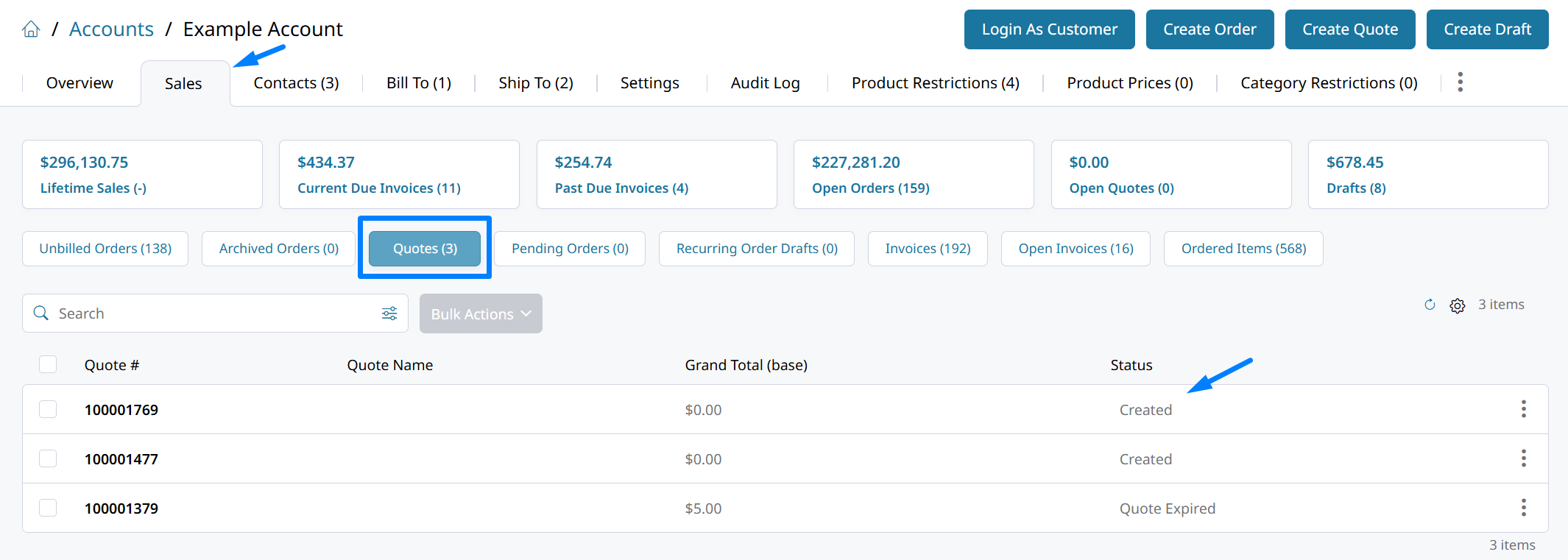
How to find an unsubmitted Quote Cart
Before a quote is submitted by the customer it is considered a "quote cart" or a "quote draft". Those in-progress quotes are saved with a special status, Created.
Those quotes will only appear in the Account > Sales > Quotes list, or by searching the general Orders > Quotes list.
Convert to Order not displaying?
If the convert to order button does not display, go to Quotes > Settings > Quote Management to check the following 3 settings:
- "Status for New Quote"
- "Status for New Quote Created by Admin"
- "Quote Available Status"
The new and available statuses must be different for the Convert to Order button to display when the quote is in the available status.
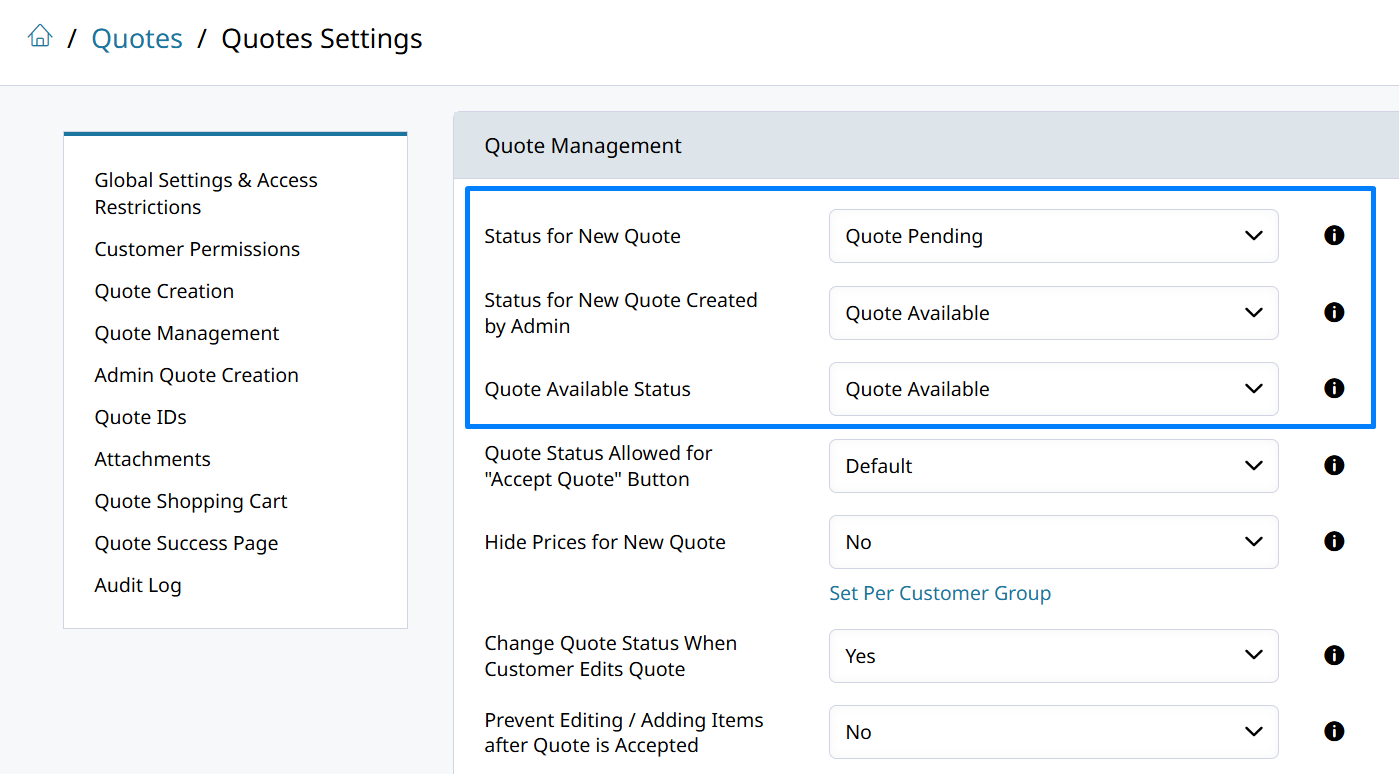
The "Quote Available Status" should not be the same status as for New Quotes.Set the Quote Available status to be a unique status that means the quote is ready for the customer to convert. The "Convert to Order" button will appear when the quote is in this status if configured correctly.
New Discount not applied to Quote cart
Quote carts that pre-date a new Discount Rule may need to be deleted before the discount will apply. If Free Shipping, or any discount rule is not applying to the customer's quote cart you can either:
- Delete the Quote Draft from within the Account > Sales > Quotes. There will be quotes in that list with the Created status that the customer is working on. Find the in-progress quote draft there to delete it. Then re-create the quote from the storefront and it will have the new discount.
- Apply the discount and submit the quote through the Zoey Admin.
Updated 3 months ago