
Account Switching
Contacts on more than one Account pick which Account to shop for with the Account Switcher, and see that Account's products and prices.
A Contact may have access to more than one Account.Contacts who can access multiple different Accounts can switch between them by using the Account Switcher.
Customer Portal
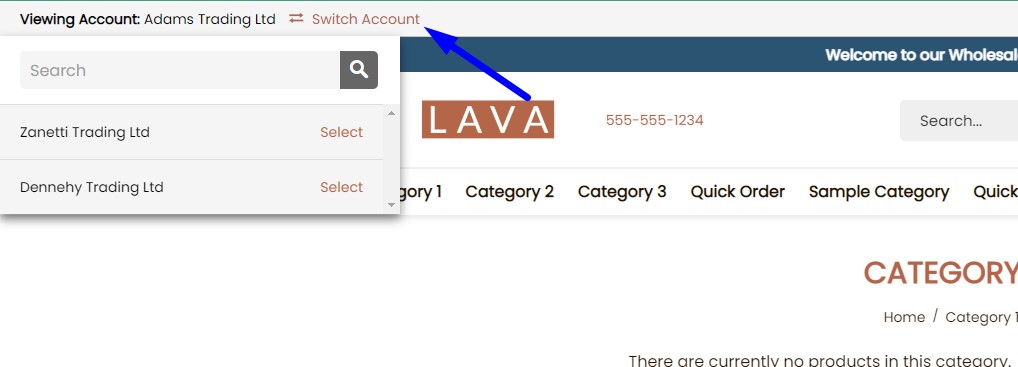
The Account Switcher will appear for those customers at the top of every page in your store. Contacts can select the account they want to place an order for or manage.
Since the Customer Group of the Account will override the contacts', your customers may see different products and prices based on each Account's restrictions or price lists.
Web Admin
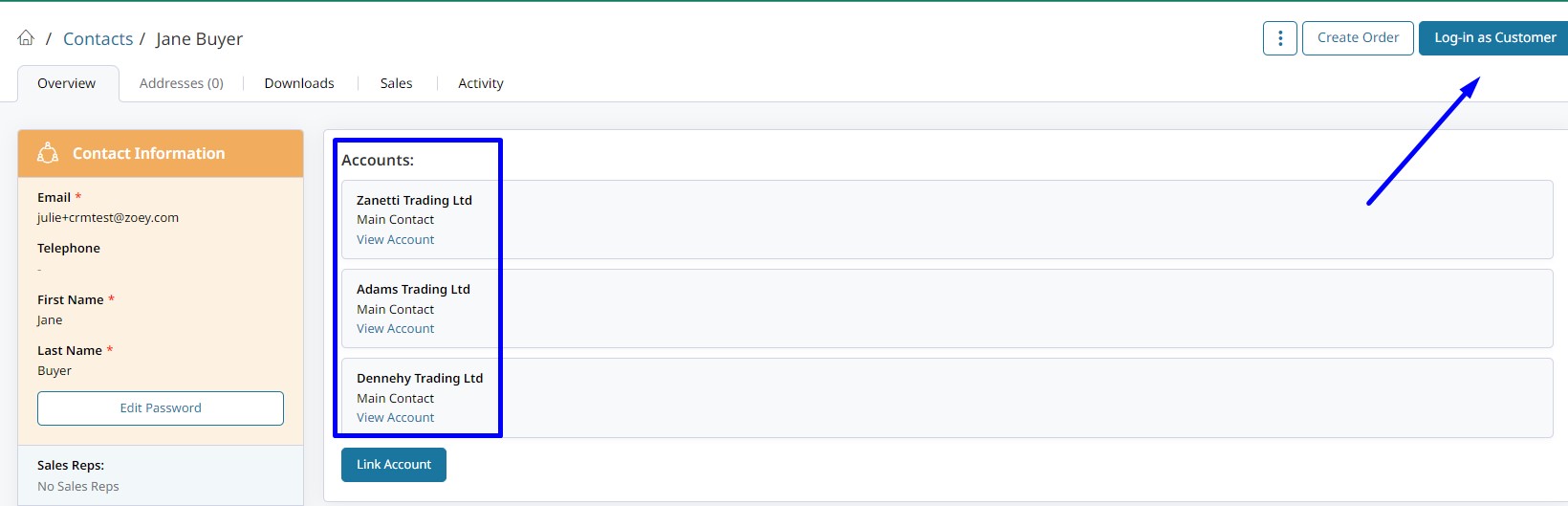
You can see all of a Contact's Accounts by opening the Contact record. You will see the Accounts and the Role of this Contact at each.
Updated 2 days ago
Did this page help you?