
Bypass Order Item Quantity Limits for Shipments & Invoices
Ignore Order Item Quantity Limits
In Settings > Store Information there are Experimental Features which can be enabled. These features are added through a setting so that stores have the option whether to utilize them.
There in Experimental Features is Ignore Order Item Quantity Limits for Invoices & Shipments. When enabled, that setting removes the ordered item quantity limit. Normally admins are prevented from Shipping or Invoicing a quantity of an item greater than how many were originally ordered.
When Ignore Order Item Quantity Limits for Invoices & Shipments is enabled:
- Shipments can be created with shipped item quantities exceeding what was ordered.
- Invoices can be created or edited to request payment for additional quantities of ordered items.
Shipping more than was Ordered
With ignore order limits enabled, any quantity of an ordered item can be entered into the Qty to Ship.
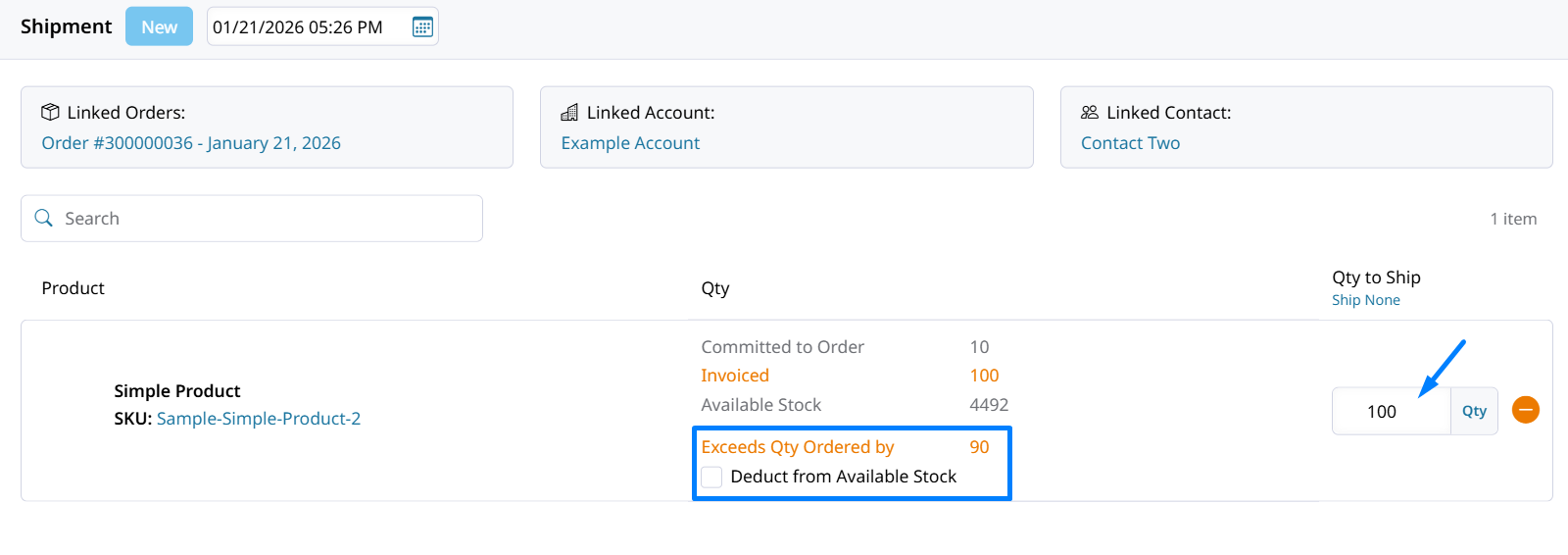
Each item in the shipment will display how many were ordered, how many were invoiced, and the current available stock.
The item quantity committed to the order has already been deducted from available stock.
When shipping more of an item than was originally committed, the Deduct from Available Stock checkbox will appear. Check the box to remove the extra shipped quantity from stock.
Shipment Import
With ignore order limits enabled, importing a Shipment CSV will no longer return an error when the quantity being shipped on the CSV file is more than how many of that product are not yet shipped on the order.
Errors like the ones below will no longer be displayed or prevent the shipment from being created when Ignore Order Item Quantity Limits for Invoices & Shipments is enabled.
- "All items for order #SO1100000011 have already been shipped"
- "Cannot ship item with id (sku) 411Z, attempting to ship 2.00 qty when only 1 can be shipped (1.00 / 2.00 already shipped)"
Invoicing more than was Ordered
With ignore order limits enabled, any quantity can be entered into Qty to Invoice to request payment for them.
When creating a new Invoice, or editing an existing one to have an invoice item quantity greater than what was ordered you'll see how many were originally ordered, already invoiced, current available stock remaining, and by how much the invoiced quantity is exceeding the quantity ordered
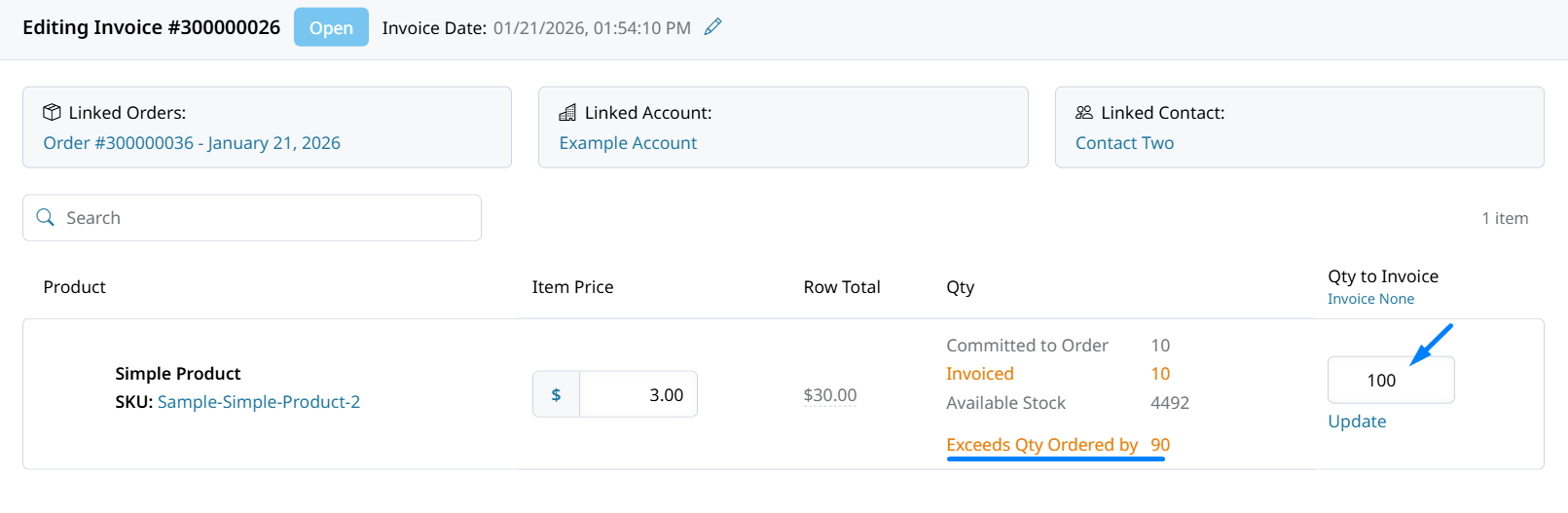
Invoicing customer for 90 units more than were ordered.
Credit Memoing more than was Ordered
Once the invoice is paid, over-invoiced item quantities can be credit memo'd. This allows for adjustments after payment for Invoices which contain more items than were ordered.
Open invoices will not allow you to Credit Memo greater item quantities than we're ordered. Once that invoice is Paid you can credit the customer for additional quantities.
Updated 27 days ago