
Add Invoice Number to the Invoice PDF
If you Invoice PDF does not display the Invoice Number it can be added through the steps in this article.
How to add the Invoice Number to your Invoice PDF
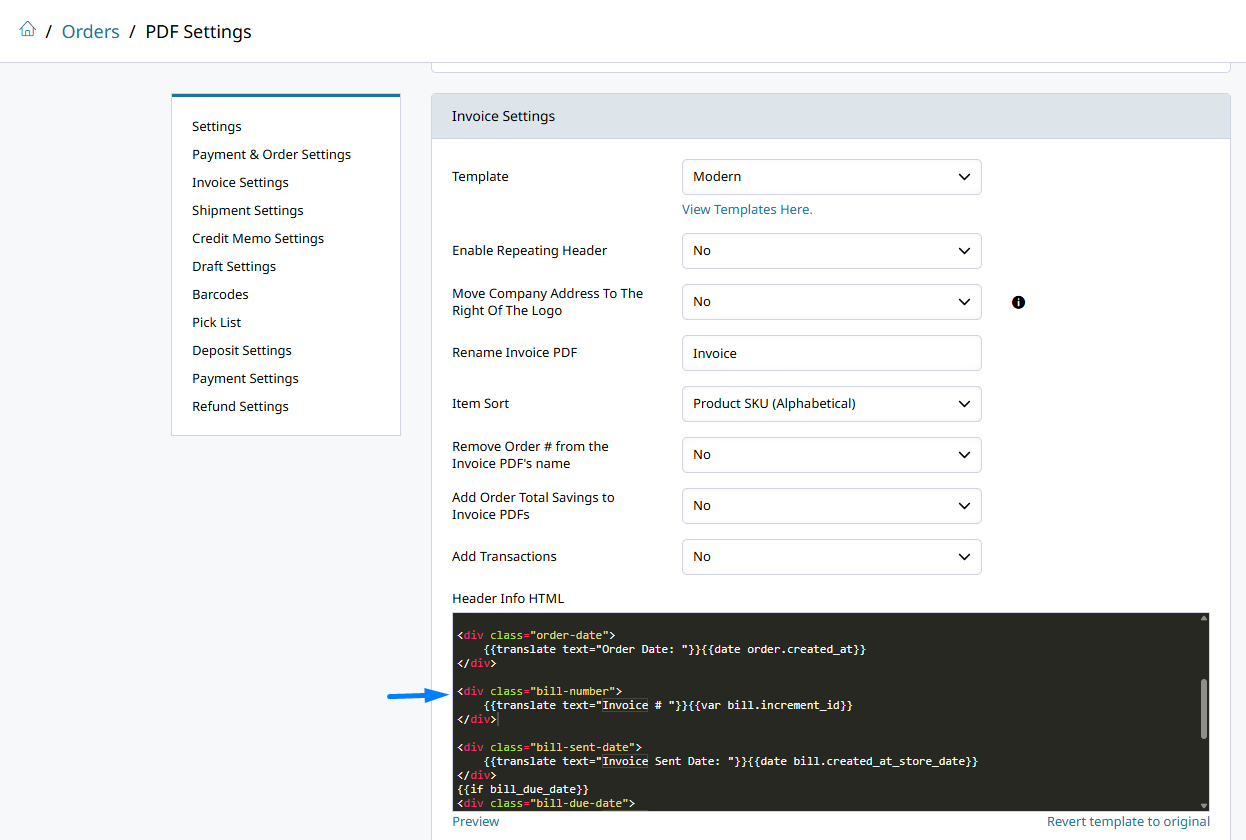
Go to Orders > PDF Settings and navigate Invoice Settings.
Find the Header Info HTML text box. That contains the HTML used to display the header details. Add the code below to display the Invoice Number.
<div class="bill-number">
    {{translate text="Invoice # "}}{{var bill.increment_id}}
</div>Where you paste this code determines where the Invoice Number is displayed!
Updated 6 months ago