
Finale
Finale integrates with Zoey through the API to communicate Orders and Inventory between the systems.
Connecting Zoey to Finale Inventory lets Finale manage inventory while Zoey handles the storefront and checkout.
How it works
- Zoey sends Orders to Finale
- Finale sends product inventory updates back to Zoey
Setting up the Finale Integration
Set up a Zoey API User and API Role to get your API keys for the Finale integration.
- Create an API Role
- Create an API User with an API Key
- Add User to the Role
- Add User and API Key to Finale Inventory's Integration configuration page
Steps to Setup Zoey API for Finale
-
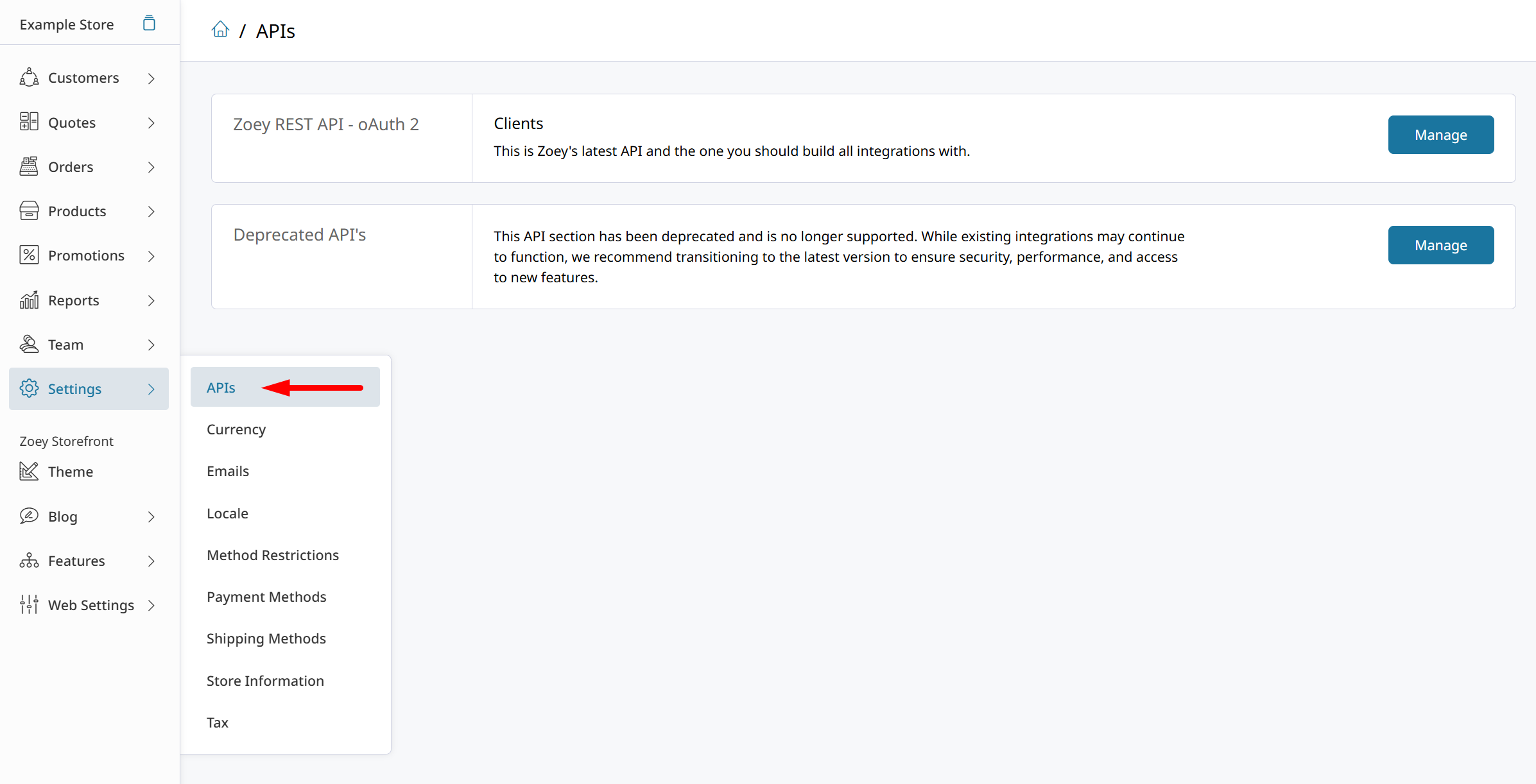
Navigate to Settings > API
-
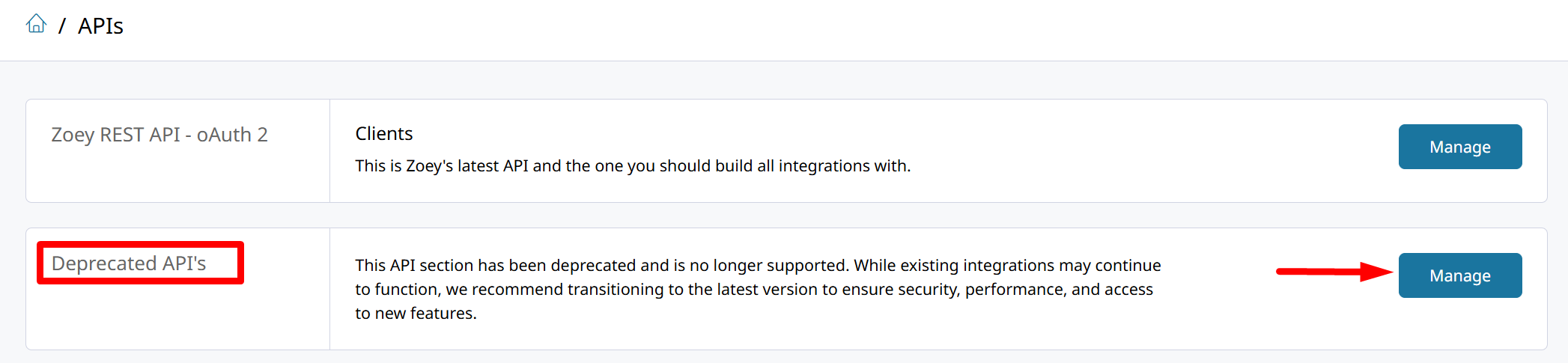
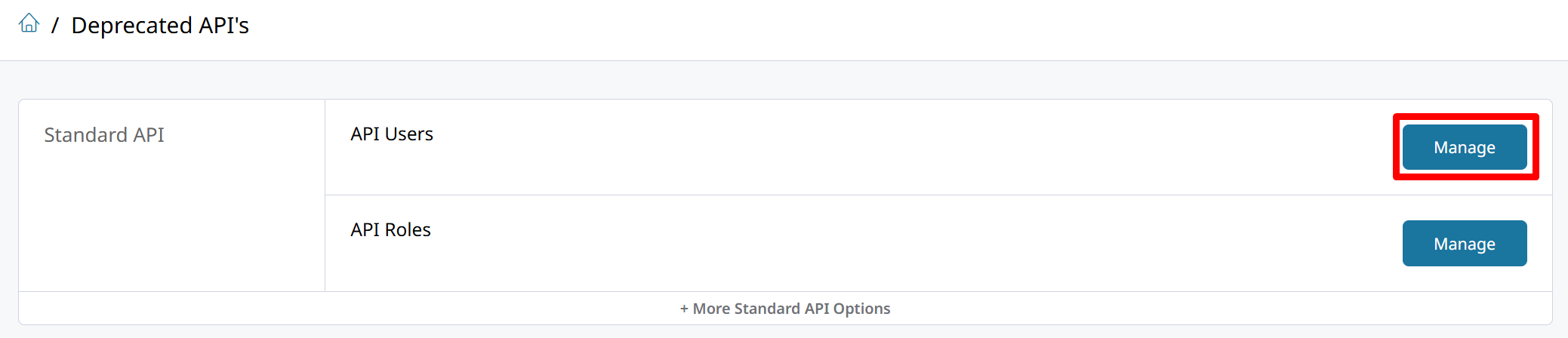
Click Manage on the Deprecated API's
-
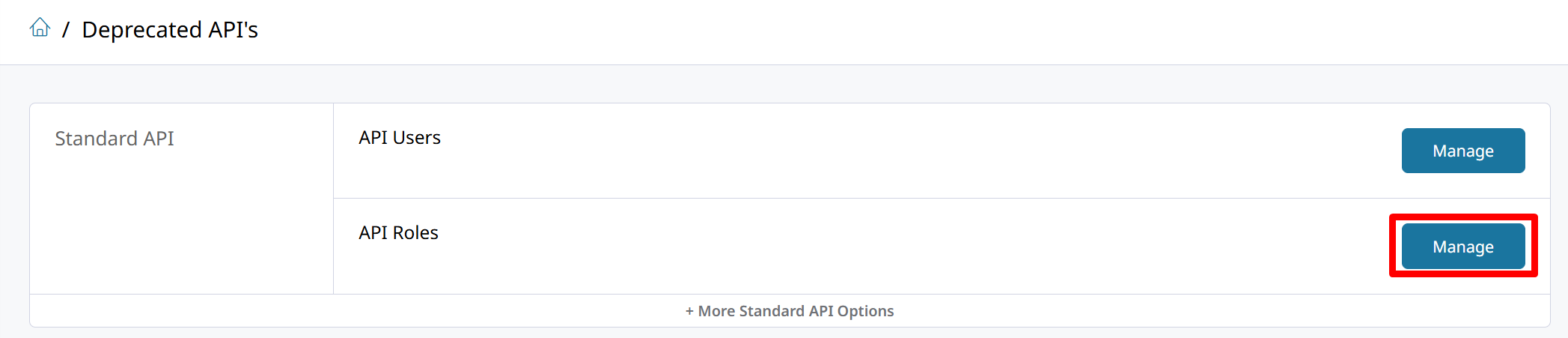
In Standard API, click on manage API Roles
-
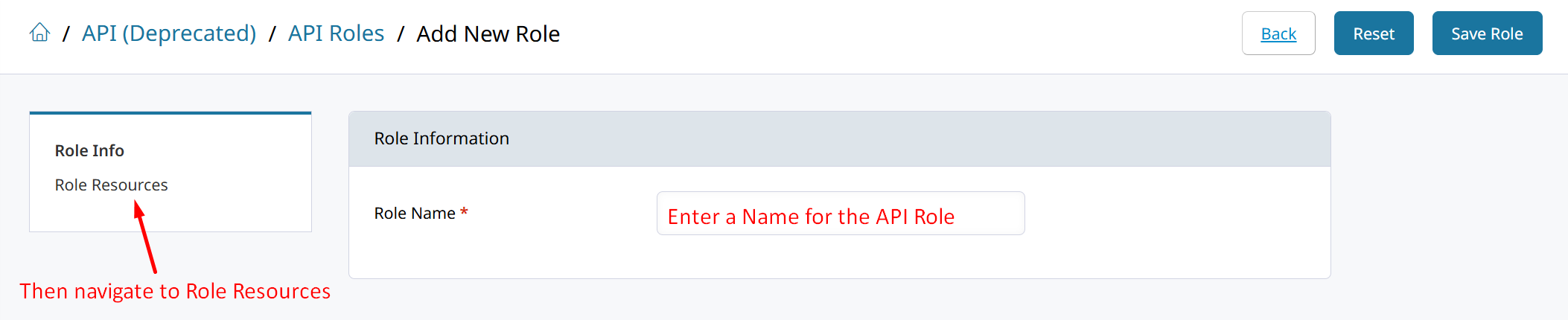
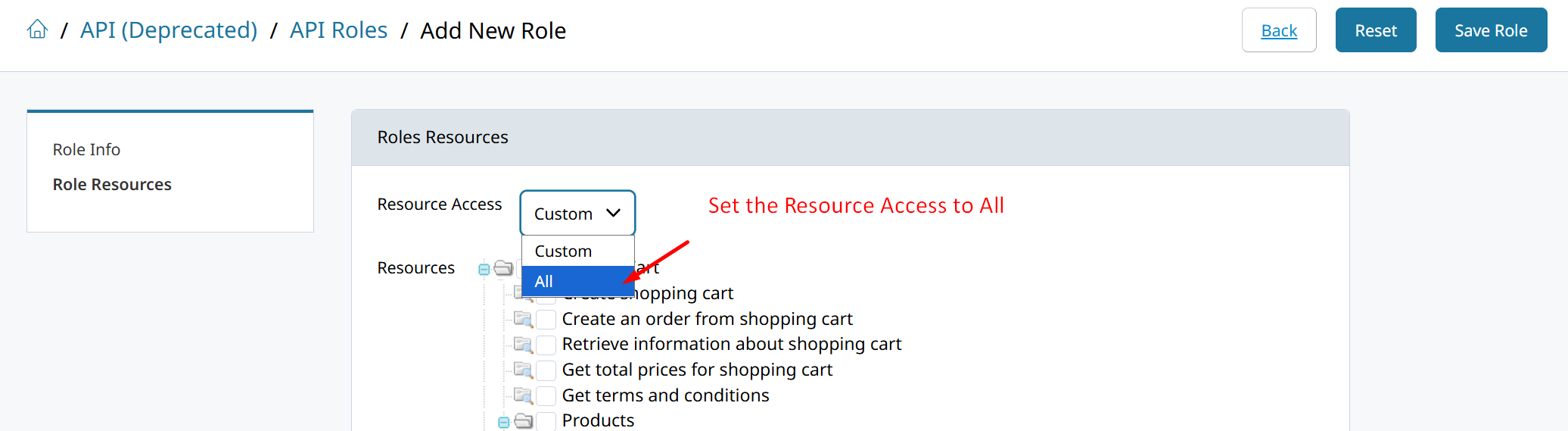
Click on Add New Role, then enter a “Role Name” and click “Role Resources”.
-
Set the Resource Access to All and then Save Role
-
Navigate back to Deprecated APIs and manage API Users
-
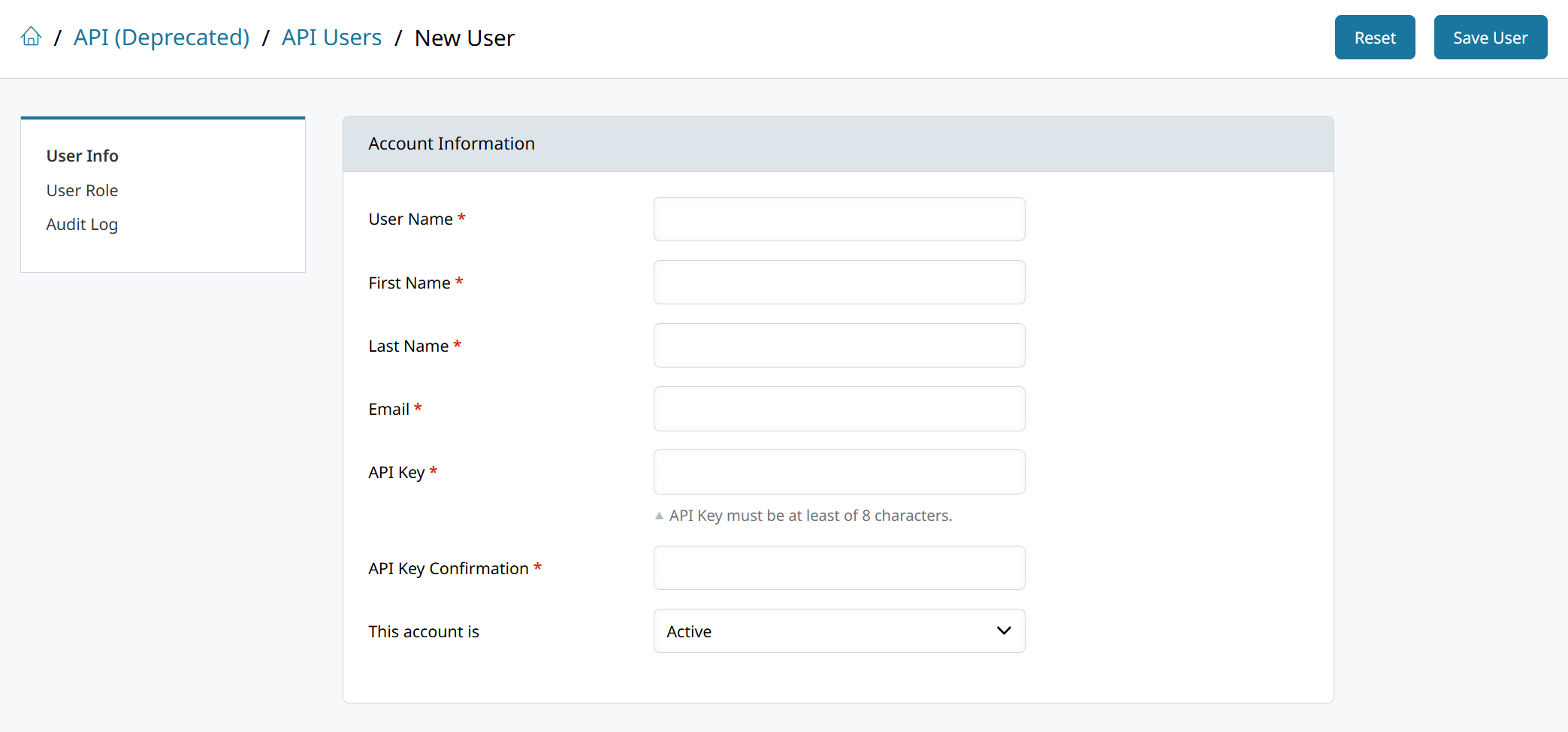
Click on Add New User and fill out the user details. The API Key will be the password to connect with the Zoey API.
-
Click User Role and then select the API Role created for them. Then save the new user.
-
Copy your Zoey Store URL, API User Name and API Key to paste them into the integration configuration screen in Finale Inventory.
FAQs
Initial Connection Issue
Please reach out to Finale Support if you receive a connection error when syncing Orders.
Sync Issues - Products don’t match
Make sure the product SKUs are identical in both Zoey and Finale. Products without matching counterparts will cause issues during sync.
Updated 8 months ago