
SPF: Emails Not Going to SPAM
Zoey will send emails to your customers from specified email addresses. To ensure these emails do not go to spam, you must configure the DNS SPF (TXT) Record.
How can I check my SPF Record?
Use the below link to check your SPF Record:
https://mxtoolbox.com/SuperTool.aspx?action=spf
- Click the link above
- Enter your domain
You will either see a green bar with your full SPF record, or a red "X" and a message that says "No SPF Record found".
Updating Your Existing SPF Record
If you currently have an SPF record (generally found inside a TXT record) configured in your DNS Entry, you will need to change the SPF Record to have: include:mail.gw01.zoeysite.com - see below
| Type | Name | Data (UPDATE) | TTL |
|---|---|---|---|
| TXT | @ | include:mail.gw01.zoeysite.com
| 600 Seconds |
I do not have an SPF Record
If you do not have an SPF Record in your DNS, you will need to add one, however you must be sure to include all services that send email for you. This would include at a minimum your email service (Gmail, Google Business, Office 365 etc...). Please check with those providers what should be added for their SPF record.
When adding the new SPF Record, follow the below settings:
| Type | Name | Data (UPDATE) | TTL |
|---|---|---|---|
| TXT | @ | v=spf1 [INSERT YOUR EMAIL SERVICE] include:mail.gw01.zoeysite.com -all | 600 Seconds |
Common Email Service SPF Values:
- Office 365:
include:spf.protection.outlook.com - Google:
include:_spf.google.com - Amazon:
include:amazonses.com - Mailchimp:
include:servers.mcsv.net - Mailgun:
include:mailgun.org - Mandrill:
include:spf.mandrillapp.com - Postmark:
include:spf.mtasv.net - Salesforce:
Include:_spf.salesforce.com - Sendgrid:
include:sendgrid.net - Zendesk:
include:mail.zendesk.com - Zoho:
include:zoho.eu
DMARC/DKIM
Zoey at this time does not support DKIM we only support SPF. SPF should be enough to validate DMARC. DMARC validation is against DKIM/SPF.
Zoey Email Domain Checker
Zoey automatically checks the Sender of each email template to determine if a valid SPF record exists for them.
A valid SPF record is required for email to be delivered successfully.The SPF (TXT) record for your email domain must have include:mail.gw01.zoeysite.com to allow sending Zoey email notifications from your email address.
This check runs once daily and will report any emails that would fail to send, or end up in spam, because the sender does not have an SPF record that allows Zoey to send emails from them.

Click View Error Details to open the Email Domain Info panel to see the senders email domains being used that will fail to deliver.
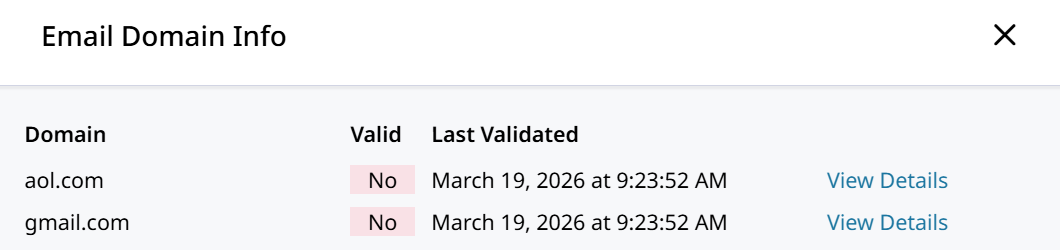
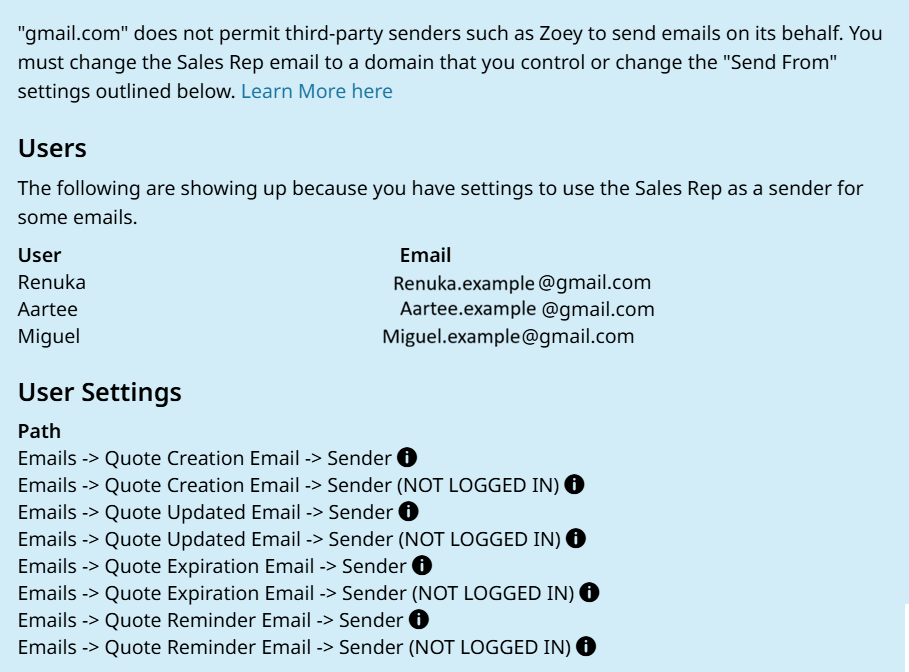
Quote emails will fail to be delivered due to the Sales Rep(s) email being @gmail.com which will not allow Zoey to send on its behalf.
How to Resolve Invalid Emails Error
When invalid email addresses are detected in the Sender fields the alert will be shown and when opened a list of invalid domains will appear. Click View Details on each of them to see what users or email templates have the issue.
- Resolve the error by correcting the SPF record for those email addresses so that Zoey can send email notifications on their behalf.
Or,
- Simply change the Sender Email Addresses to send from an email address with a valid SPF record.
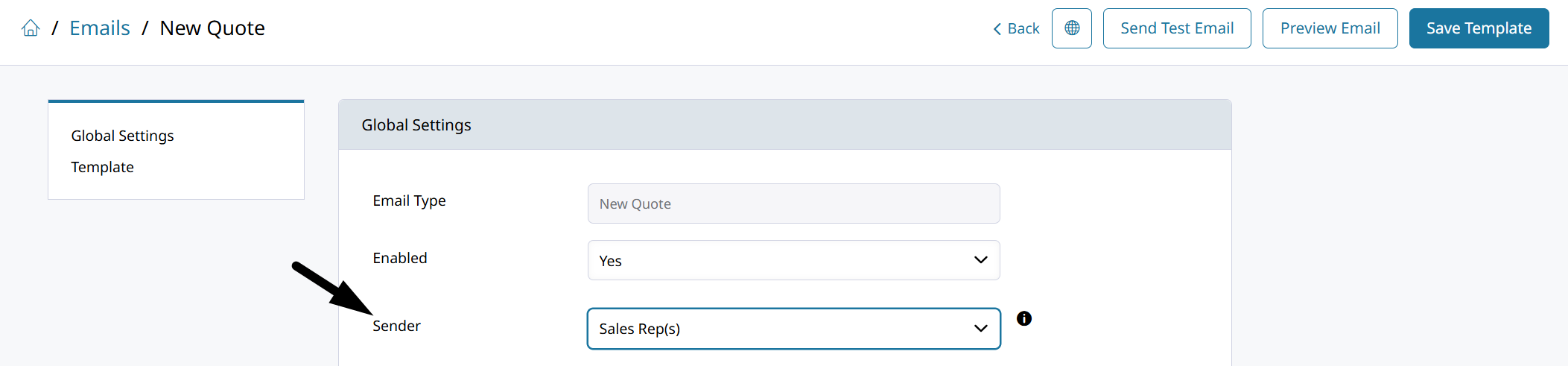
Emails like New Quote can list the Sales Rep(s) as the Sender. This often causes the SPF error because the sales rep user has an email address which does not allow Zoey to send on its behalf.
If your admin sales reps have email addresses through Google or any external email service provider then they cannot be the sender.
Check Sender Email Address SPF for Zoey Emails
In Settings > Emails the Sender Email Addresses are used to send email notifications to customers from the store.
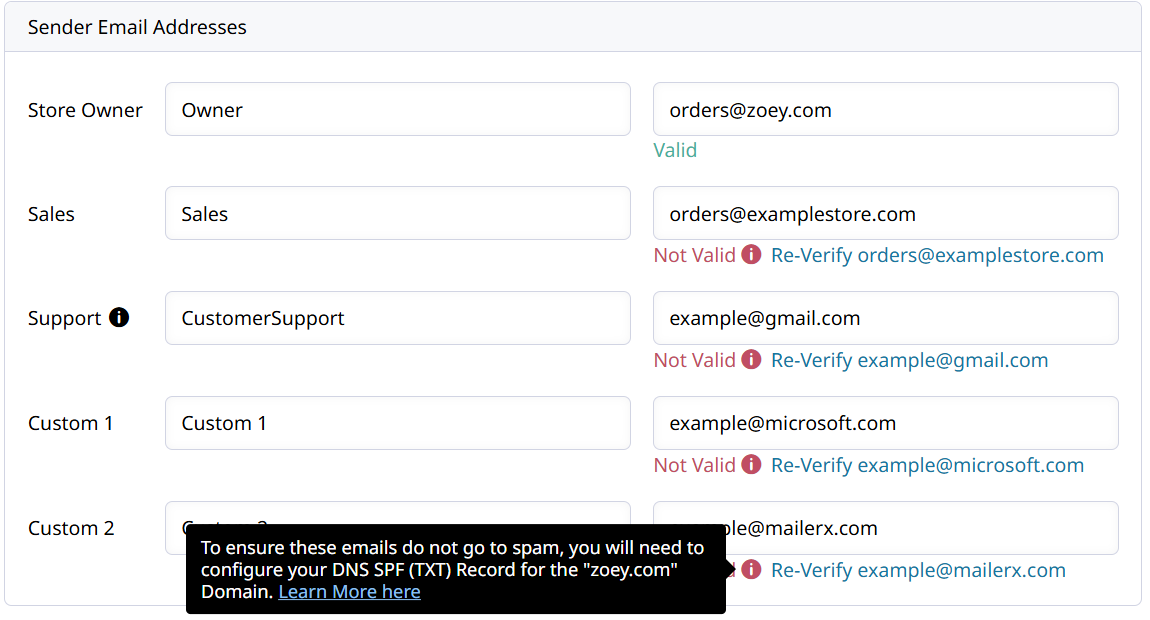
Here you can see which email addresses will allow Zoey to send email on their behalf.
If the email address shows Not Valid, that means it does not have an SPF that allows the store to send email from that address. The SPF record must be added to the domain, or the sender email address must be changed.
Updated 7 months ago