
Video Embed
Show one YouTube, Vimeo or uploaded video with a title, description and optional download link, on the page or in a popup.
The Video Embed block shows one video on a page: a YouTube or Vimeo video, or an MP4 or WebM file you uploaded to the File Manager. It has a title and description, plays on the page or in a popup, and can offer uploaded videos as a download.
Use it to:
- Show a product demo, how-to or brand video on your homepage or a product or category page.
- Play a video in a popup so the page stays short.
- Share an uploaded video your customers can also download, such as a training or installation video.
To show several videos in a grid, use the Video Gallery block instead.
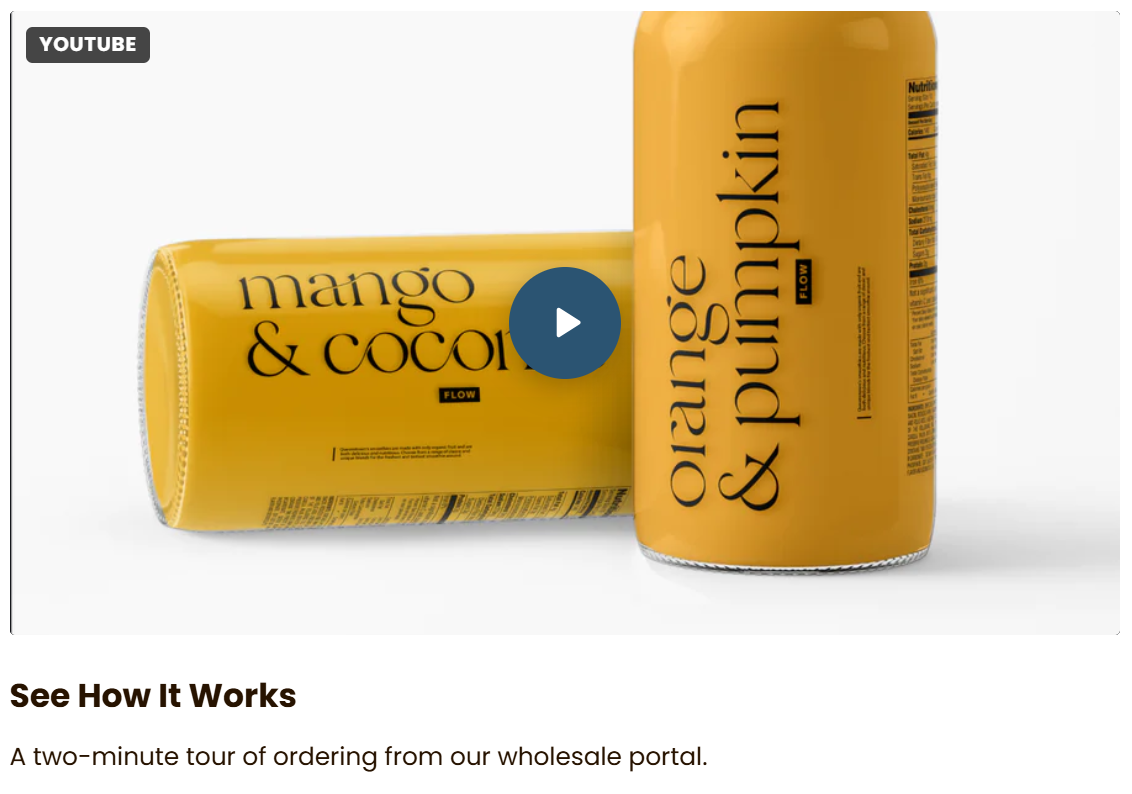
Add a Video Embed
- In the Zoey Admin, go to Theme and open the page in the Visual Design Editor (VDE).
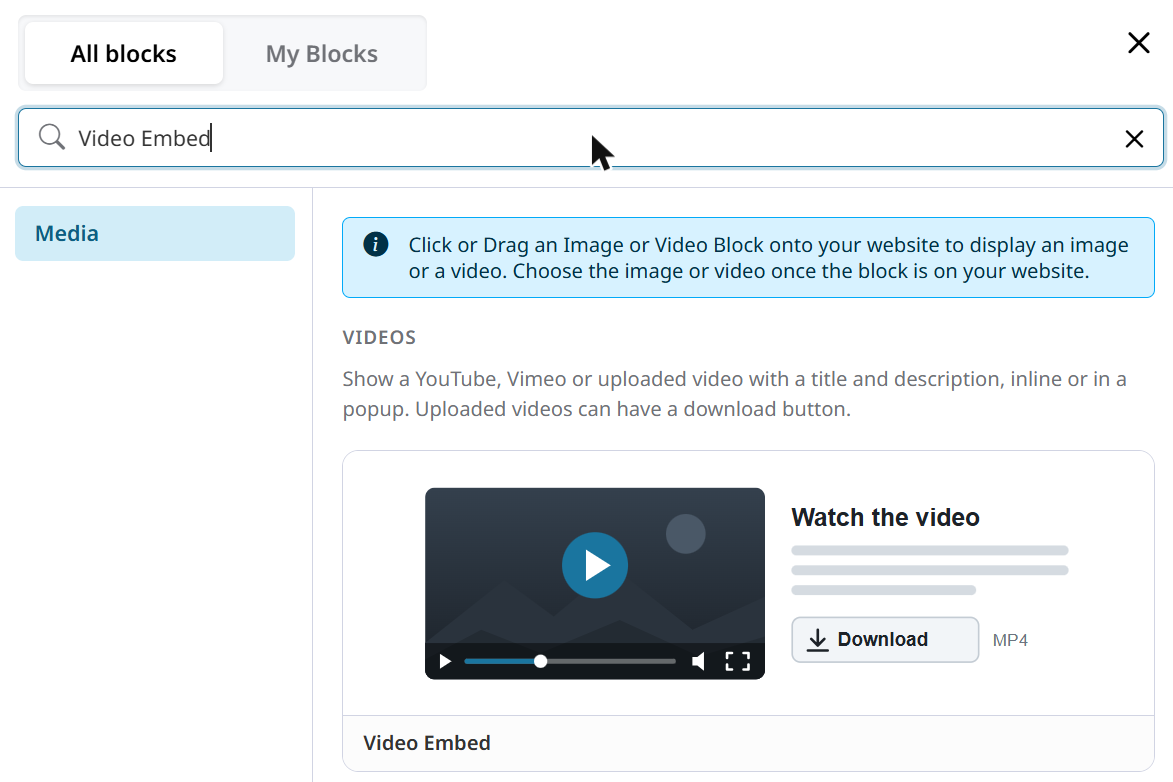
- Click + Add and go to Media > Videos (or search for "Video Embed").
- Click or drag Video Embed onto the page.
The new block shows an Add a video placeholder until it has a link or a file.
- Click the block, then click Edit Video Embed.
- Choose the Video Source and add the video (see the settings below).
- Click Submit, then Save the page.
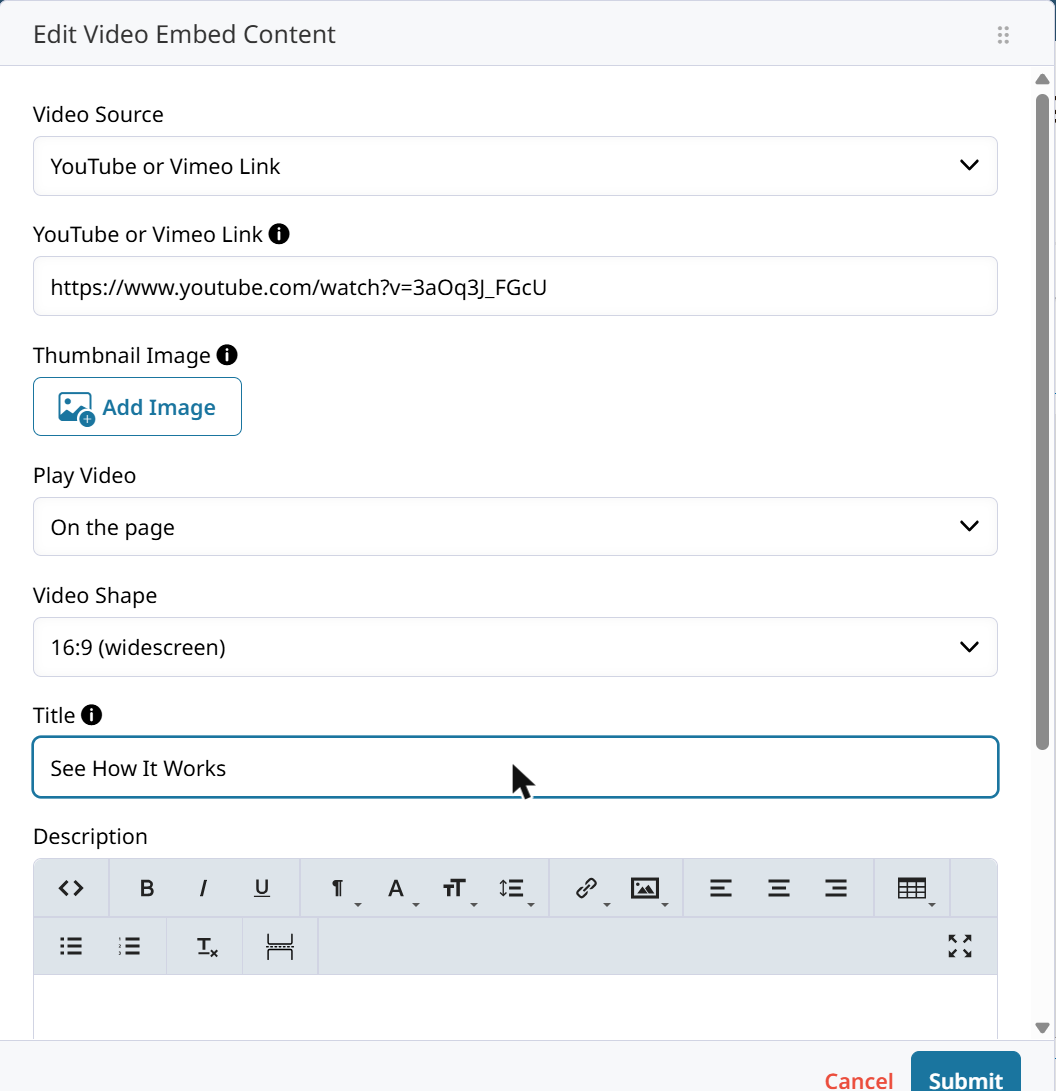
Settings
| Setting | What it does |
|---|---|
| Video Source | YouTube or Vimeo Link or File Manager (MP4). The File Manager option takes MP4 and WebM files. |
| YouTube or Vimeo Link | Paste the video's page or share link. Short links, Shorts and unlisted Vimeo links work too. A start time in the link is kept. |
| Video File | Pick an uploaded MP4 or WebM file from the File Manager. An MP4 (H.264) plays in every browser. Keep files small: shoppers download what they watch. |
| Thumbnail Image | Optional. Shown before the video plays. Without one, uploaded videos show their first frame and YouTube or Vimeo videos show their own thumbnail. |
| Play Video | On the page (default) or In a popup. |
| Video Shape | 16:9 (widescreen) (default), 21:9 (cinema), 4:3, 1:1 (square) or 9:16 (vertical, Shorts). |
| Title | Shown as a heading with the video. Also used as the video's name for search engines and screen readers. |
| Description | Text shown with the video, with a text editor toolbar. |
| Title and Description | Below the video (default) or Above the video. |
| Show Download Link | Uploaded videos only. Shows a link to download the video file. |
| Download Link Text | Uploaded videos only. The text of the download link. |
| Download Link Style | Uploaded videos only. Button or Text Link. |
| Show File Type and Size | Uploaded videos only. Shows the file type and size next to the download link, for example "MP4 · 24.3 MB". The size shows on your store, not in the editor. |
Add a thumbnail for uploaded videosSet a Thumbnail Image for uploaded videos. Search engines need a thumbnail image to show your video in their results. Private Vimeo videos need one too, because Vimeo doesn't share their thumbnail.
Style Settings
Click the block, then Design. Each setting can be set separately for desktop, tablet and mobile.
| Group | Settings |
|---|---|
| Accent | Accent color (play button, progress bar, focus ring, download hover), play icon color and play button size. |
| Video Frame | Corner radius, border width and color, and background color. |
| Container | Background color, border, corner radius, padding, max width, text alignment, and the space between the video, title, description and download link. |
| Title, Description, Download Link | Color, font size and font style (bold, italic, all caps). |
| Popup | Max width and backdrop color, for In a popup. |
On Your Store
- YouTube and Vimeo players load only when a shopper clicks play, so the page stays fast. Nothing plays on page load.
- YouTube videos play in privacy-enhanced mode, and related videos at the end come from the same channel.
- A popup closes with Esc, the close button or a click outside it, and the video stops when it closes.
- Uploaded videos play in Zoey's player with play/pause, time, seek, mute and full screen controls. Only one video plays at a time on the page.
- The block works with a keyboard and screen readers, and tells search engines about the video.
Video Embed FAQs
Should I use Video Embed or Video Banner?
Use Video Embed for new pages. It supports uploaded videos, popups, thumbnails and download links. Existing Video Banner blocks keep working.
Can I switch a Video Embed to a Video Gallery?
No. Add a Video Gallery block and set it up again. See Video Gallery.
Where do I upload a video file?
Upload MP4 or WebM files in the File Manager, then pick the file in Video File.
Related Articles
Updated 19 minutes ago