
Change Store Name (internally)
Please note this will not change the built in store URL!
Change the Store Name
Navigate to Web Settings > Domain then click the "Change Store Name" link
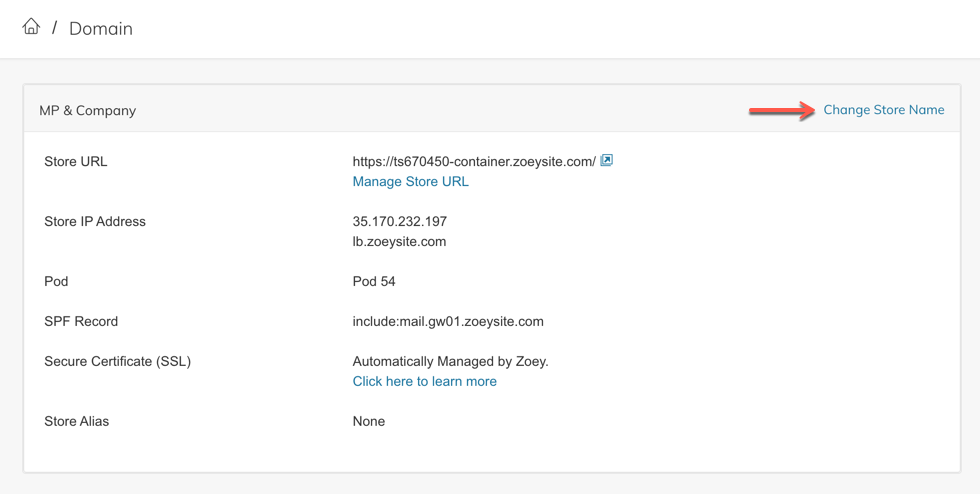
This will open a screen where you can change the store name
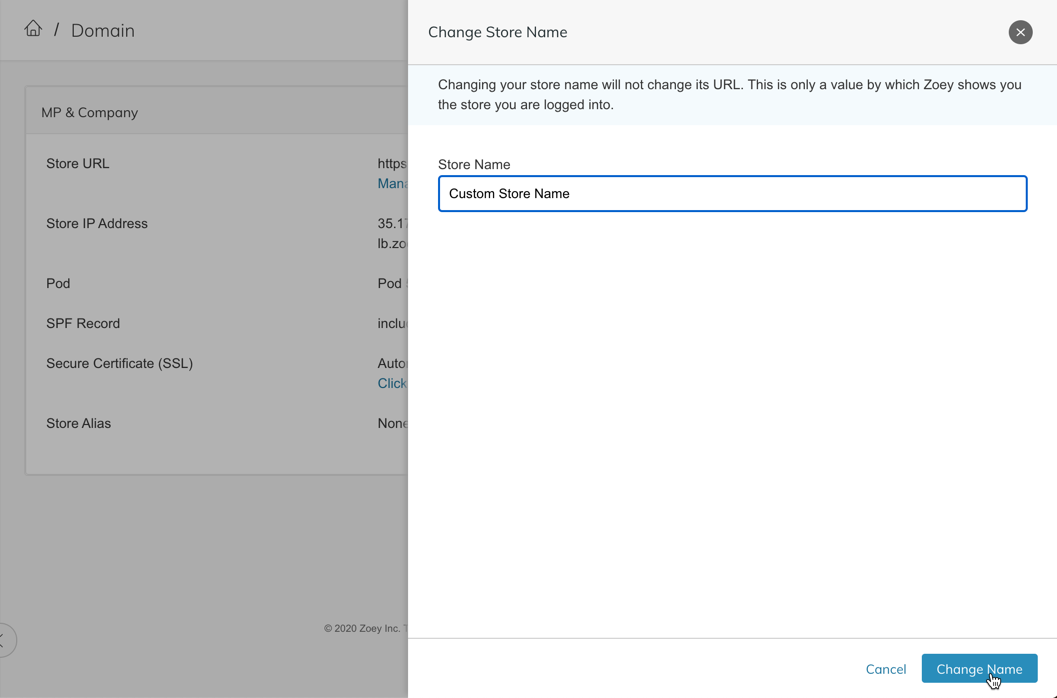
Once you click Change Name you will see a message that the store name has been changed successfully.
Mobile App Store Name
The Store Name set in Web Settings > Domain also controls what's displayed in your Zoey Mobile App!
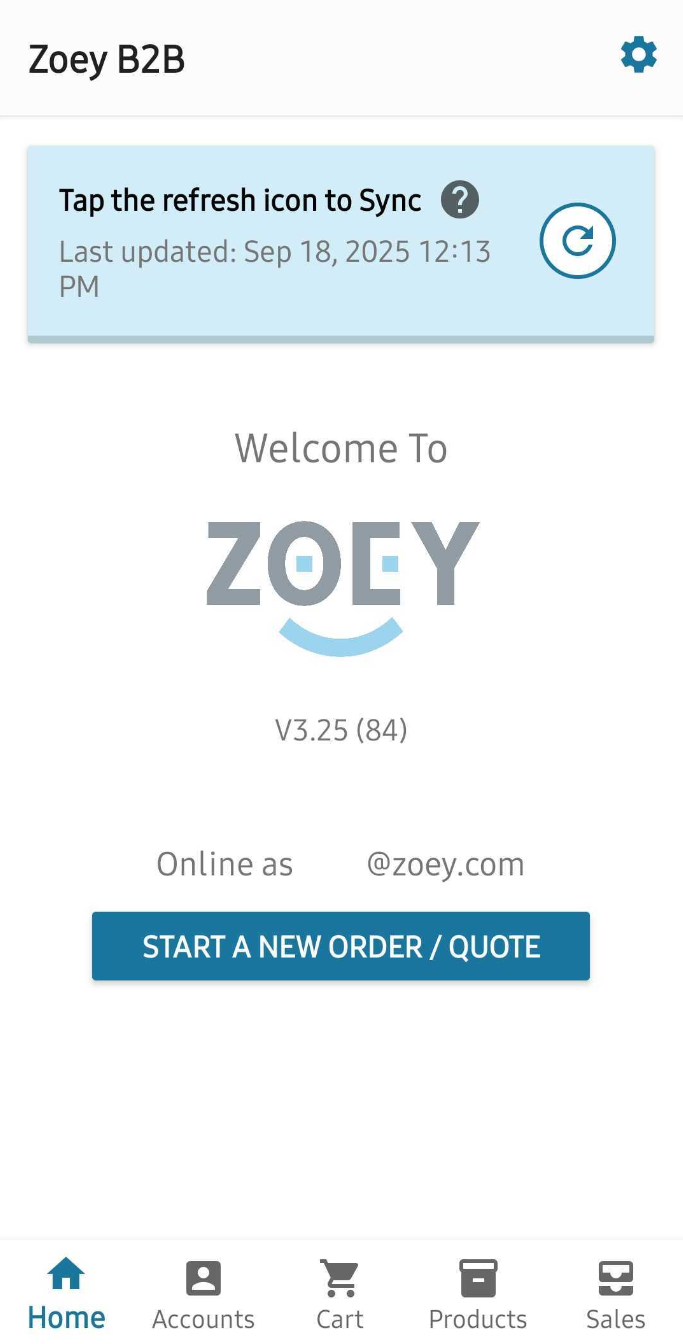
"Zoey B2B" is the Store Name
Not seeing the right Store Name in the mobile app?
Click on the ⚙️gear to find Data Management. Open that and click on Refresh All Store Data to see your updated store name.